 NavOfficer
Marine navigation calculators
The answer matters. So does the working.
NavOfficer brings passage planning, ship handling, cargo, stability and compass calculations into one offline app for officers and cadets.
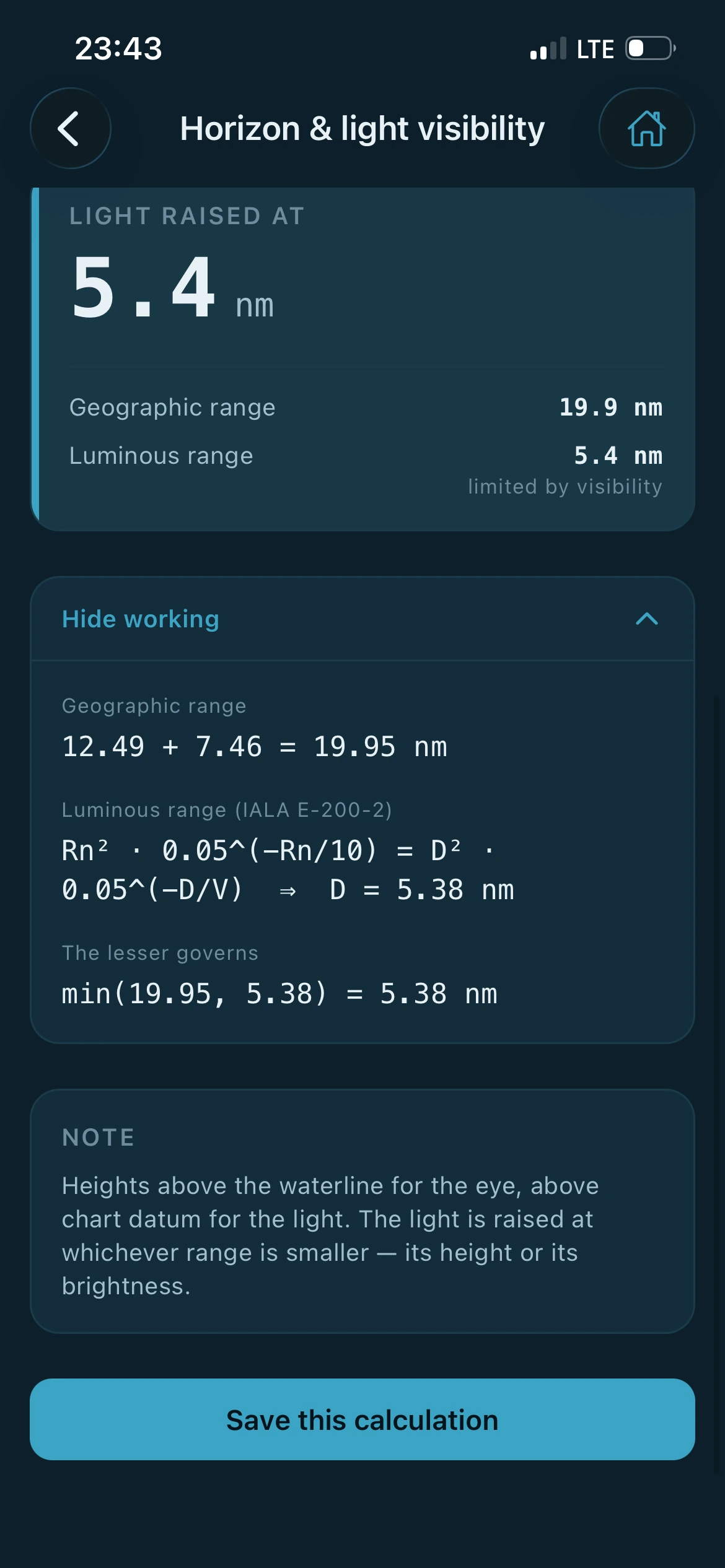
Figure 1 Light range, worked through on the screen. The method is named, both ranges are shown, and the line that decides between them is written out.
Inside a calculation
Enter what you know. Read the answer and how it was reached.
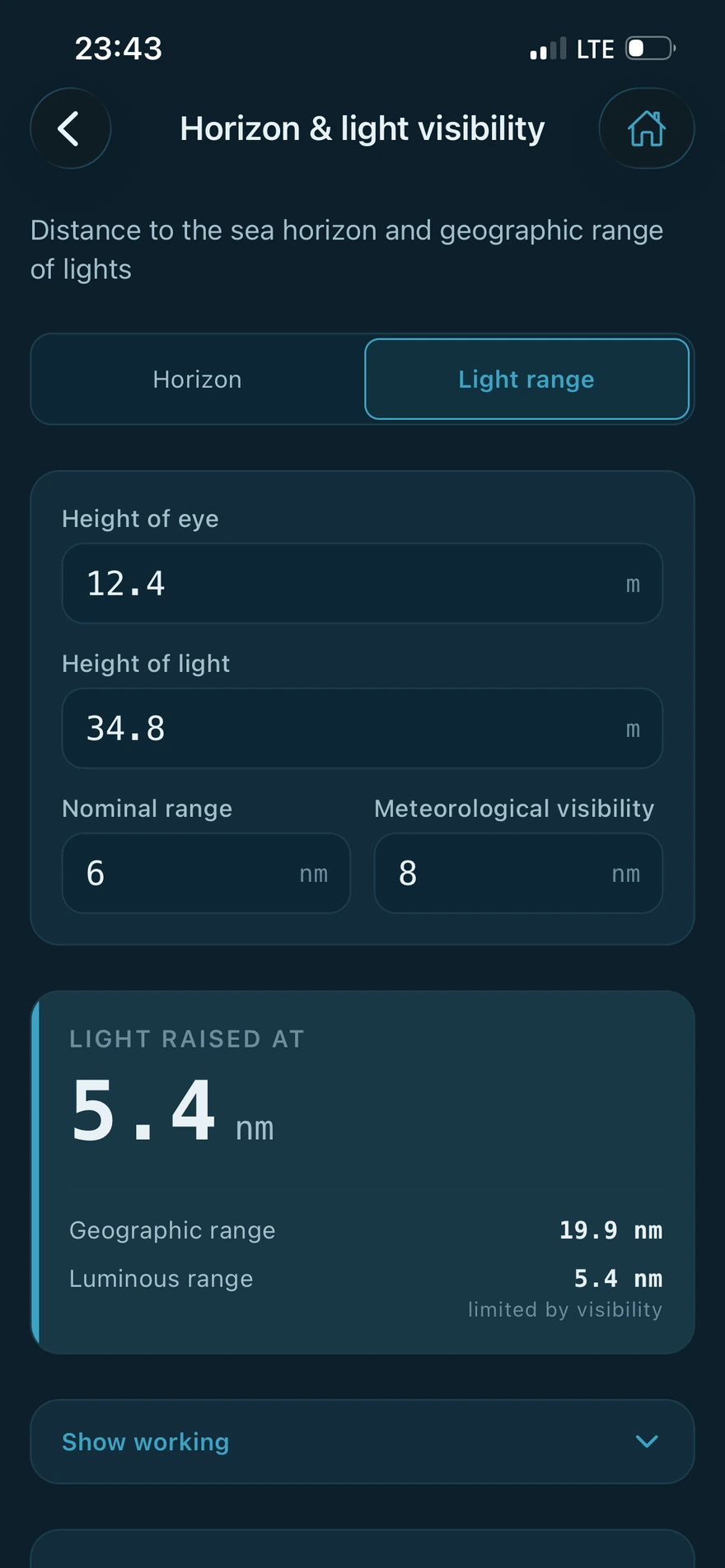
Every calculator takes the values you would write on a scrap of paper and gives them back with the method attached. The answer is the loudest thing on the screen, and the working sits under it for when you want to check it.
-
Everything runs on the device
The calculations happen on your phone. There is no server behind them, so the app works the same at sea, in a tunnel or with the aerial down.
-
No account, nothing to register
Ship profiles, saved calculations and preferences stay in the app's private storage on your own device.
-
Your vessel, entered once
Squat, stability and draft survey read the particulars from a ship profile you set up once, including a hydrostatic table you can paste in from a spreadsheet.
-
Checked against published examples
The methods follow recognised sources including Bowditch, the IMO codes, Barrass and Derrett, and each one is tested against worked examples printed in them.
Three screens for three watches
The same app, lit for the time of day.
One setting changes every screen. These are the same Settings page in each of the three.
-
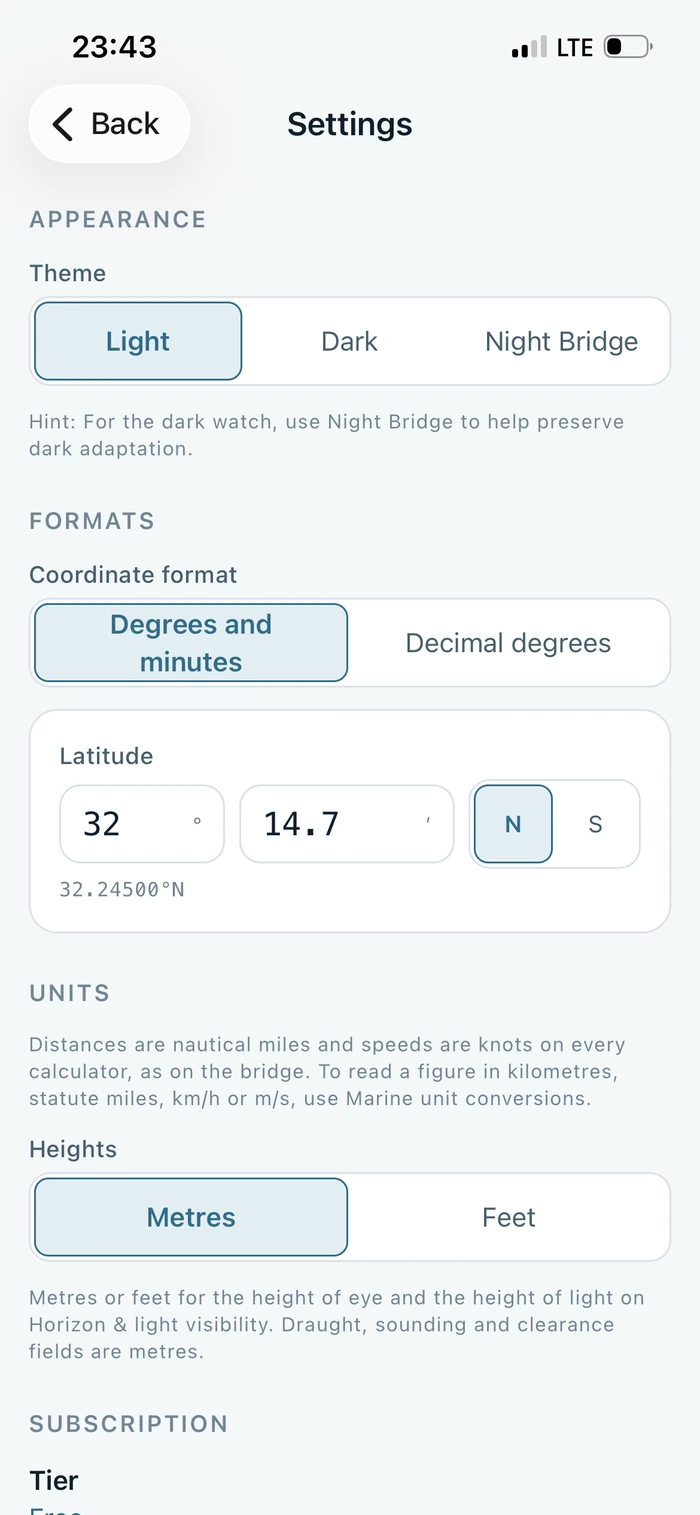
Light
Restrained and high contrast, for a daylight bridge or a classroom.
-
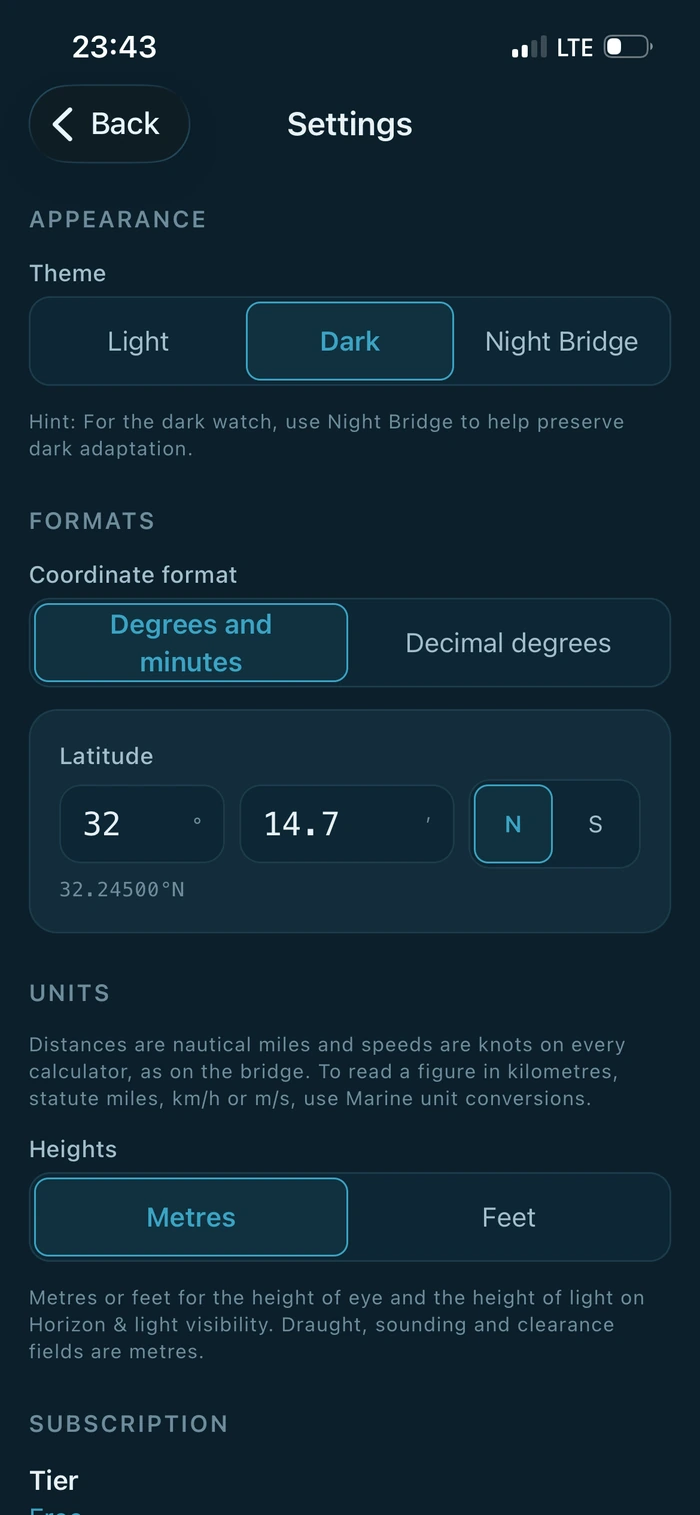
Dark
Deep navy, like an instrument panel at dusk. This is the default.
-
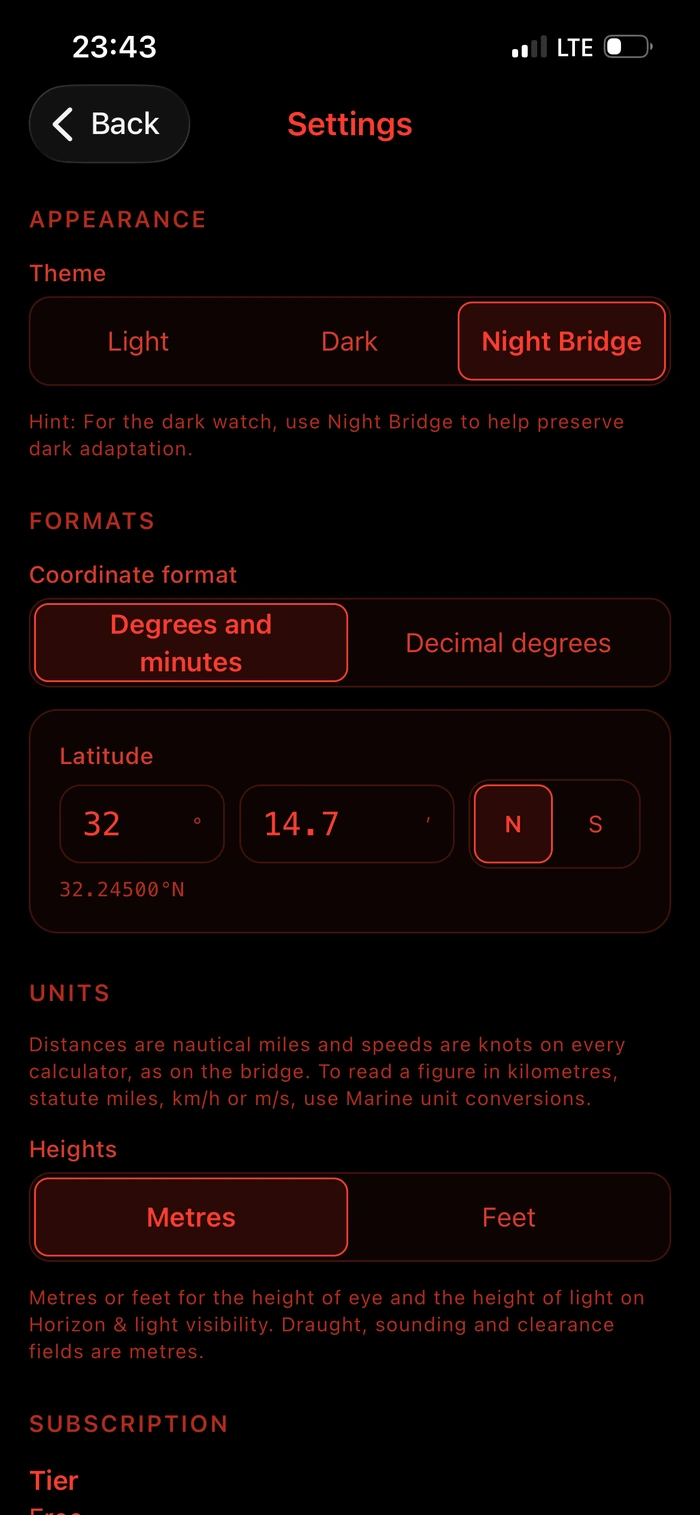
Night Bridge
Red on black for the dark watch. Blue light is what destroys dark adaptation, so this palette emits none.
What is in the app
Sixteen calculation suites.
Five are free and eleven are part of Pro. These are the names you will see in the app, in the categories they sit under.
-
Passage Planning 6
- ETA / Speed / Distance / Time
- Horizon & light visibility
- Mercator sailingPro
- Great circle sailingPro
- Composite great circlePro
- Mid-latitude & traverse sailingPro
-
Ship Handling 4
- Course to steerPro
- CPA / TCPAPro
- Wheel-over pointPro
- Squat & under-keel clearancePro
-
Cargo & Stability 2
- Draft surveyPro
- Basic stabilityPro
-
Compass 2
- Compass error (TVMDC)
- Compass error by sunPro
-
Conversions 2
- Marine unit conversions
- Interpolation
Why this exists
I came to this with a background in maritime navigation and software. The same calculations kept coming round on watch: an ETA, a compass error, a squat allowance before a shallow berth. The arithmetic was rarely the difficulty. Finding the right method quickly, and being able to show how a figure was reached, was.
So the app shows its working. Every result is set out in the order you would write it on paper, with the steps in view, so it can be checked against your own working or against the publication it came from.
It is not a navigation system and it is not meant to become one. It works a figure and lets you check it. On watch, that is the part that matters.
Written by the developer of NavOfficer.
NavOfficer Pro
The advanced suites.
Pro opens the sailings, ship handling, cargo and stability work, and removes the limit on saved calculations. It runs on the device exactly as the free calculators do, and it keeps growing as new methods are added.
Plans and prices are shown in the App Store before you buy. If a subscription lapses, nothing you have already saved is deleted.
NavOfficer is a training and cross checking aid. It is not a navigation system, an ECDIS, a loading computer or an approved stability instrument, and it is not type approved. It does not replace official publications, corrected charts, the vessel's approved stability information or the company's safety management system. Every figure must be independently verified before it is relied on operationally, and the app must never be the sole means of navigation.